



Here’s the short answer: most brake rotors last between 50,000 and 70,000 miles on a typical daily-driven vehicle. But that range is so wide it’s almost useless without context. A set of rotors on a light sedan driven gently in the suburbs can hit 80,000 miles without issue. The same rotors on a heavy SUV driven aggressively in hilly terrain might be done at 30,000. And if you’re tracking your car? You might measure rotor life in weekends, not miles.
The real answer depends on a handful of factors that are entirely within your control. Understanding them means you can maximize rotor life when longevity matters and make smart choices when performance is the priority.
What Actually Wears Out a Brake Rotor
Brake pads get all the attention when it comes to wear, but rotors are wearing down too. Every time you press the brake pedal, the pads clamp against the rotor surface and convert kinetic energy into heat through friction. That friction removes a tiny amount of material from the rotor face with every stop. Over thousands of stops, the rotor gets thinner.
Every rotor is manufactured with a specific thickness and stamped with a minimum thickness specification (often cast right into the rotor hat or edge). Once the rotor wears down to that minimum, it no longer has enough material to safely dissipate heat. Running rotors past their minimum thickness is genuinely dangerous. The rotor can crack, warp severely, or in extreme cases, fail completely.
But thickness isn’t the only way rotors wear out. Heat cycling causes micro-structural changes in the cast iron over time. Surface scoring from contaminated or worn-out pads creates grooves that reduce braking efficiency. And corrosion on vehicles that sit for extended periods or drive in salt-heavy climates can eat into the rotor surface and compromise its integrity.
The Big Factors That Determine Rotor Lifespan
1. Vehicle Weight
This is the single biggest factor most people overlook. A 3,000-pound sedan and a 6,000-pound truck might use similarly sized brake components, but the truck is asking its rotors to absorb twice the kinetic energy at any given speed. Physics doesn’t care about marketing. Heavier vehicles wear rotors faster, period.
This is especially relevant for trucks and SUVs that are frequently loaded. A pickup hauling a trailer or a family SUV packed with passengers and cargo is putting significantly more stress on the braking system than the same vehicle empty. If you tow regularly, our guide on the best brakes for towing covers how to set up your brakes for that extra demand.
2. Driving Style
Aggressive driving wears rotors dramatically faster than smooth, anticipatory braking. Late braking into corners, riding the brakes downhill, and frequent hard stops from highway speed all generate massive heat. That heat accelerates wear in two ways: it removes more material per stop, and the thermal cycling weakens the rotor’s structure over time.
The driver who leaves space, brakes early and progressively, and engine brakes on long descents will get significantly more life from their rotors than the driver who treats every red light like a braking zone at Laguna Seca.
3. Brake Pad Compound
This one surprises people. The type of brake pad you run has a direct impact on how fast your rotors wear. Different pad compounds have different levels of abrasiveness.
Ceramic pads are generally the gentlest on rotors. The friction material is less aggressive, which means slower rotor wear at the cost of slightly less maximum bite at extreme temperatures. For daily driving, this is an excellent tradeoff.
Semi-metallic pads contain metal fibers in the friction material. They handle heat better and provide more aggressive stopping, but they’re harder on rotor surfaces. You’ll often see finer scoring on rotors running semi-metallic pads.
Track and performance compounds are the most aggressive on rotors. They’re designed to maintain friction at very high temperatures, and the compounds that achieve this are inherently more abrasive. A dedicated track pad can wear a rotor measurably in a single weekend of hard lapping.
Our comparison of ceramic vs. semi-metallic vs. organic brake pads goes deeper on how each compound behaves.
4. Rotor Quality and Material
Not all rotors are created equal, and this is where the difference between budget parts and quality parts becomes very real.
Cheap rotors often use lower-grade cast iron with inconsistent carbon content. This leads to uneven hardness across the rotor face, which causes uneven wear, hot spots, and premature warping. You save $30 on the rotor and end up replacing it twice as often.
Quality rotors use a consistent metallurgy that wears evenly and resists heat-related deformation. R1 Concepts rotors are manufactured to tight tolerances and finished with Geomet coating on non-friction surfaces to prevent corrosion. That corrosion protection isn’t just cosmetic. Rust on the rotor hat and edges can affect how the rotor sits against the hub, which leads to runout and vibration over time. Our post on Geomet coating explains why this matters.
5. Climate and Environment
Salt, sand, moisture, and road debris all affect rotor lifespan. Vehicles in the rust belt or coastal areas face accelerated surface corrosion. Cars that sit for extended periods (a weekend car that only comes out once a month, for example) develop a layer of surface rust that the pads have to scrub off every time you drive. That scrubbing removes extra material.
Mountain driving is another environmental factor. If you live somewhere with long, steep descents, your brakes work harder than average just getting you home from work. Repeated sustained braking on downgrades generates enormous heat and accelerates wear.
6. Rotor Design
The style of rotor you choose affects how it wears and how long it lasts.
Blank (smooth) rotors have the most material and the fewest stress points. They generally last the longest in daily-driving conditions. Simple, effective, and the most cost-efficient choice for commuters.
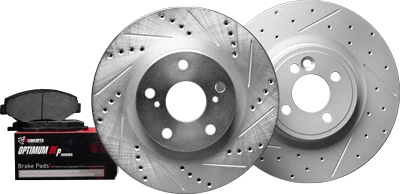
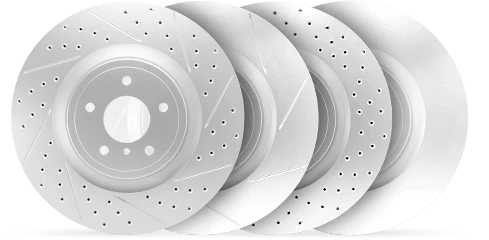
Drilled rotors have holes through the friction surface for heat dissipation and gas venting. The trade-off is that each hole is a potential stress point. On a daily driver, this is a non-issue. Under extreme track conditions, drilled rotors can develop cracks radiating from the holes.
Slotted rotors have machined channels across the friction surface. The slots help refresh the pad surface and manage outgassing. They do wear pads slightly faster than blanks, but the rotor itself holds up well under high heat.
Drilled and slotted rotors combine both features. They offer the best all-around heat management for mixed-use vehicles.
For the full breakdown, our drilled vs. slotted rotors guide covers the pros and cons of each design in detail.
Signs Your Brake Rotors Need Replacement
Mileage is a guideline, not a rule. Here’s what actually tells you it’s time for new rotors.
Visible Scoring or Grooves
Run your finger across the rotor face (when it’s cool). If you can feel distinct grooves or ridges, the rotor surface is damaged. Light scoring is normal and can sometimes be resurfaced. Deep grooves mean the rotor needs to be replaced. Those grooves reduce the contact area between pad and rotor, which hurts stopping power.
Vibration or Pulsing Under Braking
If you feel a pulsation in the brake pedal or steering wheel when braking, the rotor face has thickness variation. People call this “warped rotors,” though what’s actually happening in most cases is uneven pad deposit transfer rather than the rotor physically bending. Either way, the fix is the same: new rotors with a proper pad bedding procedure. Our guide on diagnosing brake noise and vibration covers this in more detail.
Visible Lip at the Rotor Edge
Look at the outer edge of your rotor where the pad doesn’t contact it. If there’s a pronounced lip (a raised edge around the outside), the friction surface has worn down significantly. A small lip is normal on any used rotor. A lip you can catch your fingernail on means the rotor is getting thin.
At or Below Minimum Thickness
Measure the rotor with a micrometer at several points across the friction surface. Compare the thinnest measurement to the minimum thickness specification stamped on the rotor. If you’re at or below minimum, replace it. Don’t machine it, don’t “get a few more months out of it.” Replace it. This is a safety item.
Cracks
Any visible crack on a brake rotor means immediate replacement. Small heat-check cracks (fine hairline patterns on the surface) can appear on heavily used rotors and are generally cosmetic on street vehicles. But any crack that you can feel with your fingernail or that extends to the edge of the rotor is a structural failure. Don’t drive on cracked rotors.
Should You Resurface or Replace?
Resurfacing (also called “turning”) a rotor means machining the faces to remove scoring and restore a flat, parallel surface. It’s cheaper than replacement, but it removes material and makes the rotor thinner. There are only so many times you can resurface before the rotor hits minimum thickness.
Here’s when resurfacing makes sense: the rotor has light scoring or minor thickness variation, it has plenty of material above minimum spec, and you’re pairing it with new pads that need a fresh surface.
Here’s when replacement makes sense: the rotor is at or near minimum thickness, it has deep grooves or cracks, it has significant rust damage, or you’re upgrading your pads and want the full benefit of the new compound on a fresh surface.
Honestly, with the cost of quality rotors being reasonable (especially compared to the labor of pulling everything apart), most shops and experienced DIYers just replace rotors when doing a brake job. You’re already in there, the labor is the same, and fresh rotors give you the best possible starting point. For a complete walkthrough, our pad and rotor replacement guide covers every step.
How to Maximize Brake Rotor Life
Choose the right pad compound. If you’re daily driving, ceramic pads like the R1 CERAMIC Series are the gentlest on rotors while still providing excellent stopping power. Save the aggressive compounds for when you actually need them.
Bed your brakes properly. A proper break-in transfers an even layer of pad material onto the rotor surface. This layer is what actually creates most of the friction in normal driving. Without it, you get uneven deposits that cause vibration and accelerate wear. Follow the bedding procedure every time you install new pads or rotors.
Brake progressively. Hard stops from high speed generate exponentially more heat than moderate stops. Braking earlier and more gradually puts less thermal stress on the rotors and extends their life.
Don’t ride the brakes. On long descents, downshift and use engine braking to control speed. Continuous light braking keeps the rotors hot without letting them cool, which is the fastest way to overheat and damage them.
Replace pads on time. Worn pads expose the metal backing plate, which grinds directly into the rotor surface and destroys it. A $40 set of pads replaced on time saves you from a $200+ rotor replacement. Check out our guide on when to replace brake pads so you know exactly what to look for.
Use quality rotors. Cheap rotors with inconsistent metallurgy wear unevenly and fail sooner. R1 Concepts rotors are manufactured to spec with Geomet coating to resist corrosion. The upfront cost difference is small, but the durability and performance difference is significant.
Brake Rotor Lifespan by Use Case
| Use Case | Expected Rotor Life | Notes |
|---|---|---|
| Light daily driving (sedan) | 60,000-80,000 miles | Gentle driving, ceramic pads, flat terrain |
| Normal daily driving | 50,000-70,000 miles | Mixed driving conditions, moderate traffic |
| Aggressive daily driving | 30,000-50,000 miles | Spirited driving, frequent hard stops |
| Towing and hauling | 30,000-50,000 miles | Extra weight accelerates wear significantly |
| Track and HPDE use | 2-10 events | Depends on track, driving level, and pad compound |
Frequently Asked Questions
Do brake rotors last as long as brake pads?
Rotors typically outlast pads by a factor of two. Most drivers go through two or three sets of pads before needing new rotors. The exception is if you’re running very aggressive pad compounds, which can wear rotors faster, or if you’re running very cheap rotors that don’t hold up to normal use.
Can I replace just one brake rotor?
You can, but you shouldn’t. Always replace rotors in pairs (both fronts or both rears). A new rotor on one side and a worn rotor on the other creates uneven braking force, which can pull the vehicle to one side during hard stops. Mismatched rotors also make it impossible to properly bed your new pads for even transfer.
How do I know if my rotors are too thin?
Every rotor has a minimum thickness specification stamped or cast into it, usually on the hat or the outer edge. Use a micrometer to measure the rotor at several points. If any measurement is at or below the minimum, the rotor must be replaced. You can also have a shop measure rotor thickness during a routine inspection.
Do drilled or slotted rotors wear out faster than blank rotors?
Drilled and slotted rotors have slightly less total material than blank rotors of the same diameter, which means they can reach minimum thickness sooner under identical conditions. In practice, the difference is modest for street driving. The real factor is how you drive and what pads you use, not the rotor style. For most enthusiasts running a mix of street and spirited driving, the improved heat management of drilled and slotted or slotted rotors more than compensates for the marginally shorter service life.
Should I replace rotors every time I replace brake pads?
Not necessarily. If the rotors are above minimum thickness, have no deep scoring or cracks, and measure within spec for thickness variation, they can continue to be used with new pads. That said, many people choose to replace rotors and pads together as a complete job. Fresh rotors give new pads the best possible surface to bed against, and you avoid having to pull everything apart again in another 20,000 miles. Our guide on brake job costs breaks down the economics of pads-only versus a complete brake job.
Time for new rotors? Shop R1 Concepts brake rotors with Geomet coating and precision-machined surfaces. Enter your vehicle info for an exact fit.